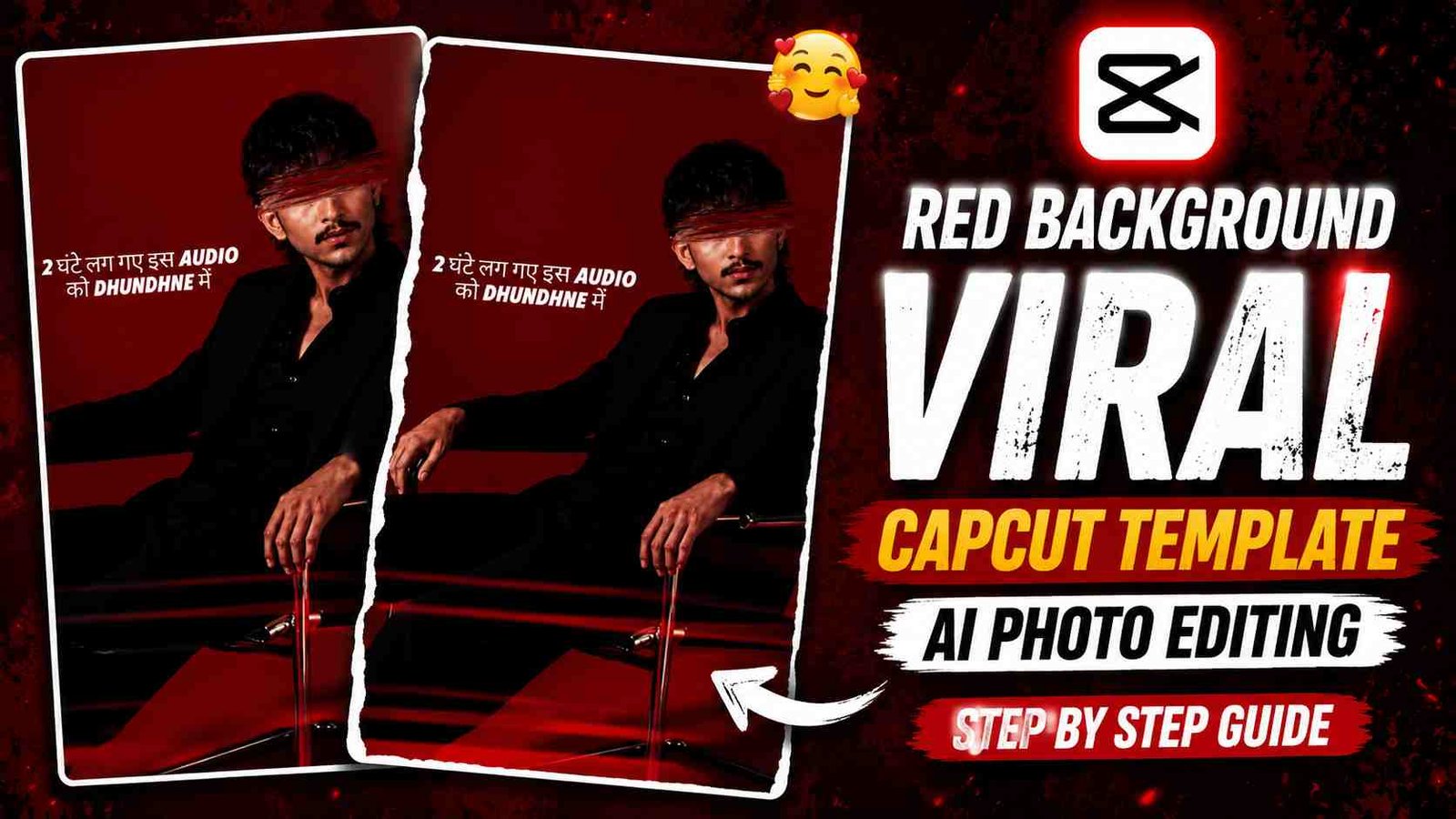
This week, videos with red backgrounds are going viral on Instagram. The reason they are going viral is not only their audio but also their unique style. Which makes them different from other videos. In this article, you will learn completely about how to make them, for this you do not need to know much about editing, just follow the simple steps that I will tell you, with these methods you will be able to easily make similar videos and photos, that too in a few seconds without wasting time.
To make this, we will use only two tools, one is Chat GPT and the other is Capcut, and our video will be ready in a matter of seconds. If you also want to learn professional video editing like this, then keep visiting my website. I keep uploading tutorials on a daily basis about whatever trend is going on here or any unique editing. I keep uploading tutorials.
Awarapan 2 VN & CapCut Template 2026 100% Working
About Red background Viral video CapCut Template and AI Photo
If you also don’t know how such videos are going viral on social media, then I want to tell you that if you play YouTube, instead of some music videos, they have a photo of the music maker, which is edited in a good style and vibrates according to the beat of the song, which looks very good to watch.
These videos are also being made in the same way, which is currently trending rapidly on social media, for this you have to take an image of yourself. And you have to add a background behind it, which Chat GPT will add to your app in a few seconds. I will also give a prompt below to edit it, with which you will be able to easily add such a background to your image.
How to create an AI Photo For The Viral video
To create this image, you should have a photo that has been taken from the back camera of the mobile. Try to edit the image you want to edit in the same style as the photo so that Chat GPT can easily edit it. If it is in another pose, Chat GPT will then edit your image in the same pose.
- To edit, you have to copy the prompt given below and open Chat GPT in your mobile.
- And you have to paste this prompt and click on the plus icon next to it and select the tab and the image you have created from the gallery and send it to Chat DPT.
- Now it will prepare your image in a few seconds, you can download it.
- Now let’s move on to the next step.
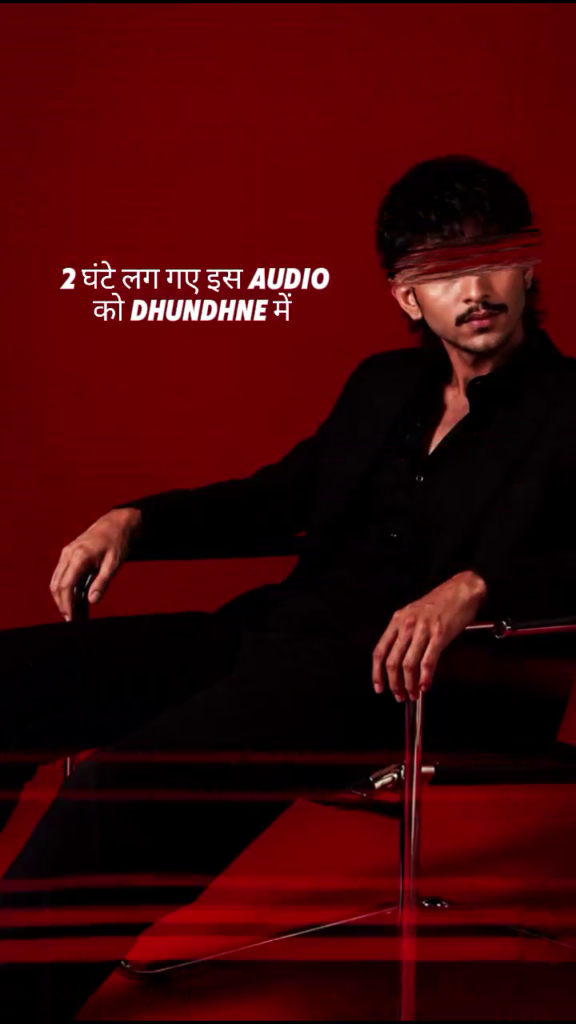
Prompt:
Deep crimson red studio background, rich monochromatic red lighting, dramatic cinematic color grading, intense scarlet and ruby red tones, high contrast shadows, black luxury suit with deep matte blacks, warm skin highlights, subtle orange-red skin glow, moody fashion editorial lighting, premium magazine photoshoot look, dark and elegant atmosphere, soft directional key light, ultra-realistic skin texture, luxury portrait photography, bold red and black color palette, cinematic depth, high-end studio lighting, 8K ultra detailed, professional fashion campaign color grading.
How to find a Viral video CapCut template
I have told you the complete method of making a photo in the previous step, if you still have any problem, then you can ask me in the comments below, now we are starting to learn about the video. For this, it is necessary to have Capcut in your mobile phone, if not, then you can download it from the Play Store or App Store and install it. You open it and go to the template section and search by writing the name of this template. Different such templates will be shown in front of you, if you like any of them, you can select it. Otherwise, I will also give you the link of a template which I have seen and tried myself, it has worked very well and the audio of this template is currently being liked a lot on Instagram.
How To Use Viral Video CapCut Template
If you want to use the templates I have given, you will get a link to a cap template below, you just have to click on it and this direct link will open if Capcut is installed in your mobile, if not, then you should install Capcut first.
When this template opens, below the template, there is a Use Ten template. You have to click on it and select the photo that you have created with ChatGPT and saved in your gallery. It will automatically apply effects and transitions to your photo.
And there is an all-ready audio in its background, if you do not like the audio, you can add the audio of your choice or when the video is finished, you can export it. Now this video is in your gallery, you can post it on any social media.
Conclusion
So, in today’s video, we learned how we can make a luxury-type photo from our ChatGPT and how we can convert this photo into a video with the help of CapCut, in which transitions and effects have to be applied. So in this way, I will tell you about editing daily. If you want to know more about such CapCut templates or AI video editing, then you can visit my website, Alan Edit.
Alan Edit video editing aur mobile editing tutorials par focus karta hai. CapCut, VN, AI video image aur baaki editing apps ke templates, presets, aur step-by-step guides yahan share kiye jate hain. Maqsad hai editing ko easy aur beginner-friendly banana.