
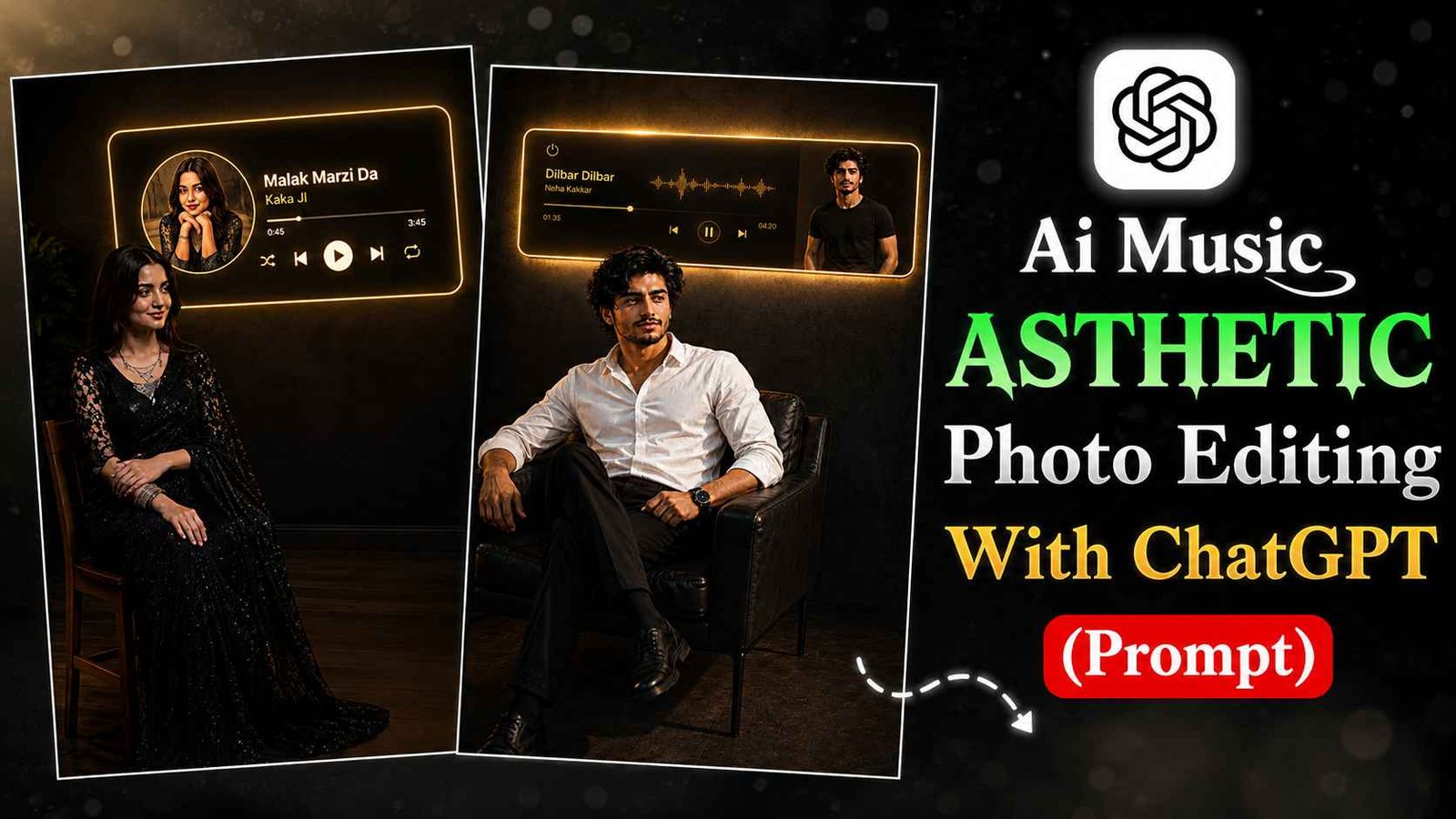
Ai Music Asthetic Photo Editing With Chatgpt (Prompt): Hi friends, you must have seen such image editing with music today. If you also want to make it, you can make it in one click, you just have to read this article till the end. In this article, I have shown you how AI is used to make such an image and I have also given a very detailed prompt in this article, using which you can edit your image. Without any difficulty. If you also want to make it, then let’s move on to the next step.
What is Ai Photo Editing?
With the help of AI photo editing, you don’t need to manually go to any app and edit your photos. You just have to give the photo to AI. And below you have to tell what kind of photo you want to edit. Then it edits it and gives you the photo. Like in this article, I have given two prompts to the app. You can take some ideas from them Or you can edit it and reuse it.
Details Of Ai Music Asthetic Photo Editing Prompt
So friends, AI music photo editing is becoming more popular at this time because in it you edit the song of your choice. You put your name in place of the singer. Due to which whoever sees this photo is stunned that it will be his song. But this is not the case in the reels and you put your photo in place of the music. In this photo and it edits your photo in two poses. Like one pose is on your chair and the other is in your music bar. Apart from this, it gives a little sad feel. If you write the name of the sad song in it and edit the photo. Then it will look perfect according to this vibe.
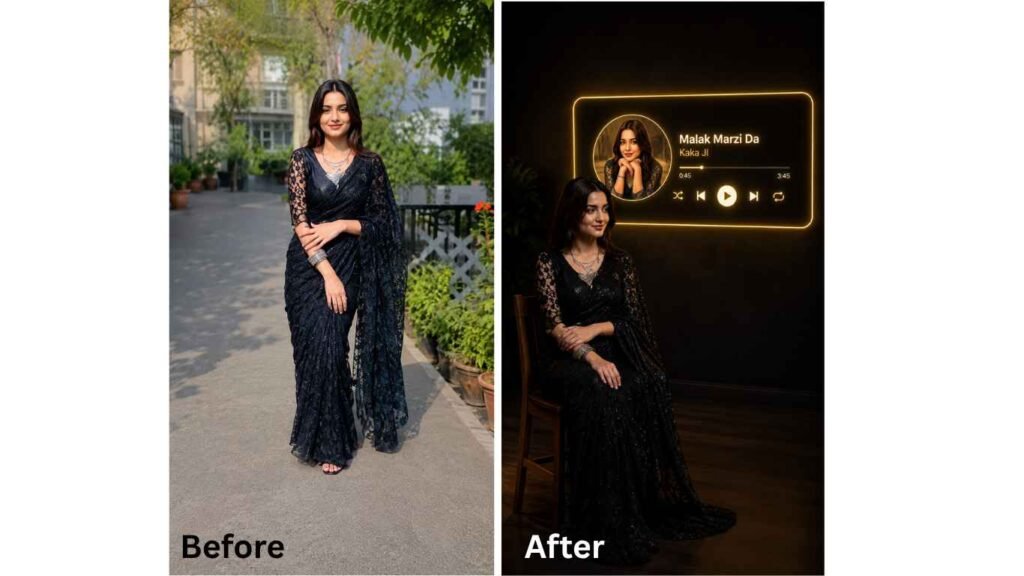
Prompt:
This picture that I have given you, put it in a room. There is a simple wooden chair in the room on which it is sitting. And it is looking to one side. The room is quite dark. The back wall, which looks black due to darkness, has an audio player playing on it. Like in a mobile. This model should be brand new. And it should be installed against the wall. The ratio of this model should be 16:9. And there is a golden color light on its edge that shows the neon effect. And the name of the music playing in the player is (Song nam) and the name of the music artist is (Name). It should be clearly written in it. And on the left side of this player, the picture that I have given you should be placed in a round shape. And it should be edited as if someone has made art of his face with his hands. Remember that the picture I have given you should not have her face changed, her face should not have changed, her hair color should not have changed. Do not change her hair style. And her dress should also be the same. Edit this picture to me in a 9:16 ratio and follow all these prompts carefully.
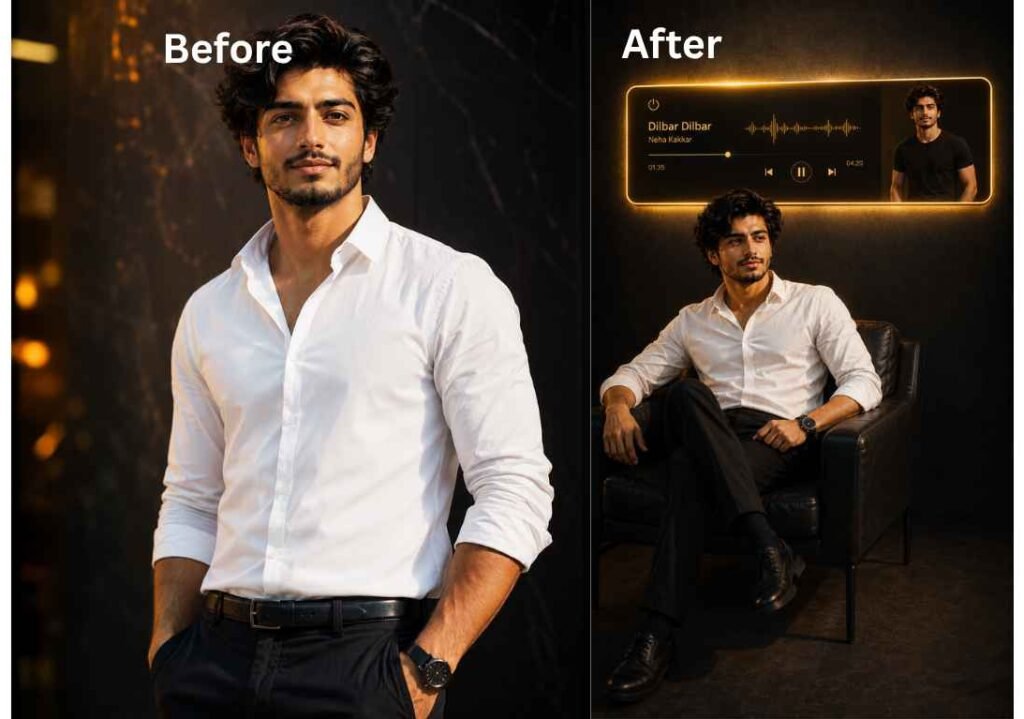
Prompt:
The picture I have given you. Do not make any changes in it like messing up his hair or changing the color of his face. His face should be clear. And make this boy sit on a chair. In which he is wearing a white shirt and black pants below and he is looking to the side with a 30 degree angle. And the wall behind him. An audio music is playing on it. There is a yellow color light on the edge of this music. The player is like it is completely digital. But it is not in any device, it should look like it is attached to the wall. There should be an on/off button on top of it, a button to move the music forward and backward, just like in a mobile. But it should be kept in a 16:6 ratio. And the picture of the same man that I have given should be in this music bar. On the right side. But here he is wearing a black T-shirt and black pants underneath. This image should be prepared in 9:16 ratio. And the image should be black but not all black as if it was taken in the dark and the shadow of the man should be slightly spread on the ground but not too much. And the name of the song playing in this player is (Song Name).
How To Use Ai Music Asthetic Photo Editing Prompt
So come on friend we learn about it. How can we edit our photos using these permissions. And also what can we edit these permissions?
So you can edit the prompt above like it says song name you can write your favorite song name in its place. Single name is written. You can write your name in its place. And it is very easy to use them below I will tell you step by step. You have to follow the simple steps. And you will be able to edit it in a few seconds.
- First, you have to copy the edit that you like from these.
- Second, you have to open Chat GPT, you can also open it on Google Chrome and its app is available on both Google Play Store or App Store, you can install it from there too.
- Third: The image you have on which you want to apply this editing, you have to click on the plus icon in Chat GPT and select it from the gallery.
- Then, the promo that you have copied. Paste it in the typing space.
- Now, edit what you want to edit in the prompt here.
- Finally, send it to him. Now he will edit the image and give it to you in a short time. Now download it to the gallery.
With this, the photo editing of the final photo is completed. If you want to change it further, you can edit the prompt as you wish. From which you can get even better results. Like changing her style or changing her dress or adding something else in the background, in this way, even changing the minus can give your photo even more good looks.
Conclusion
So friends, by using UpChat GPT in this way and using these two permits, you can edit a professional AI music Asthetic photo. That too very easily. I hope you will find this information helpful. I keep uploading whatever trending AI footage or video editing related information on this website on a daily basis. So you can visit this website on a daily basis.
Alan Edit video editing aur mobile editing tutorials par focus karta hai. CapCut, VN, AI video image aur baaki editing apps ke templates, presets, aur step-by-step guides yahan share kiye jate hain. Maqsad hai editing ko easy aur beginner-friendly banana.
Thanks for publishing this detailed guide. The section around prompts, image style, and realistic visual output is especially useful for readers comparing what to try next. From the Img2Gen team side, we focus on practical AI image generation workflows, reference-guided edits, visual prompts, and clear examples that help creators make better images online.